The TMS Website Sucks, So I Made a Captcha Autofiller
In keeping with the spirit of the times, I’ve started playing in the Nepali Stock Exchange playground. It is a strange, distorted world for someone like me who’s used to the determinism of the computer realm. And so far, it has just proved to be a more fashionable way of losing money. But it’s addictive!
If you’ve ever had to use Nepal Stock Exchange’s Trade Management System (often called just TMS), you probably hate it. It is at best an incompetently made piece of software with many glaring issues, hosted on woefully underpowered infrastructure that cannot even handle the most predictable of traffic spikes. On more than one occasion I’ve oversold or undersold shares because its UI was out of sync with its database.
The TMS’s login captcha is the epitome of this incompetence and negligence.
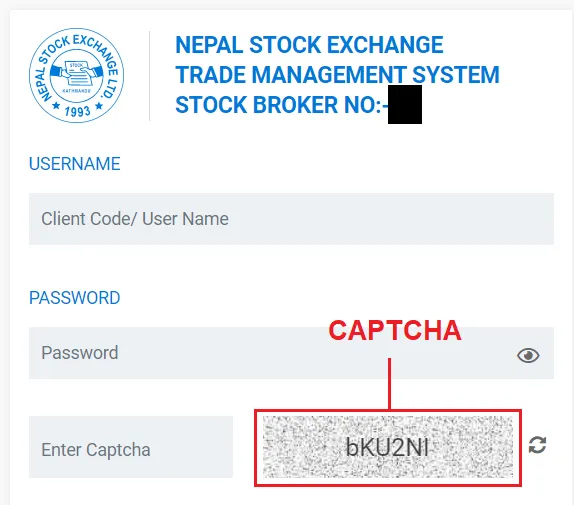
If you didn’t know, a captcha is supposed to be a challenge that only humans can solve in a reasonable time. A malicious computer program which, if unopposed, could execute hundreds of thousands of requests every second testing various username:password combos or security vulnerabilities, or just plain overloading the system so that it becomes unresponsive to legitimate users, is blocked by the captcha.
With that definition, however, the TMS’s “captcha” actually turns out to be an anti-captcha, the exact opposite. It appears as a challenge to the user, who has to manually type it out every time. But it is completely transparent to any half-decent computer script. In fact, when you hit the login button, the captcha is not even sent to the server. It’s a purely cosmetic effect. It’s like a gate that you have to painstakingly unlock every time, but every burglar can pass through it as if it wasn’t even there.
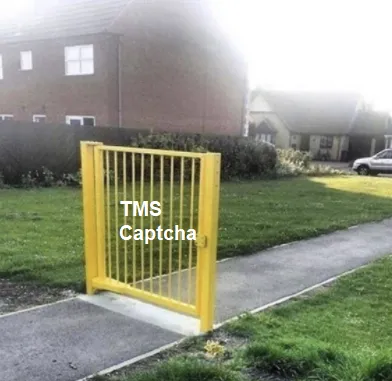
The TMS captcha implementation
Even a cursory inspection will show that the implementation of the TMS captcha system is not an actual captcha. Any OCR like Google Lens can read it readily, making it very cheap to overcome.
But you don’t have to go that far. The captcha’s random text is generated in the
browser by a simple piece of JavaScript, and it’s laid over a static image. The
CSS user-select property is set to none so you can’t just copy the text from
over the image and paste it in the captcha field.
Which means it should be accessible via the DOM:
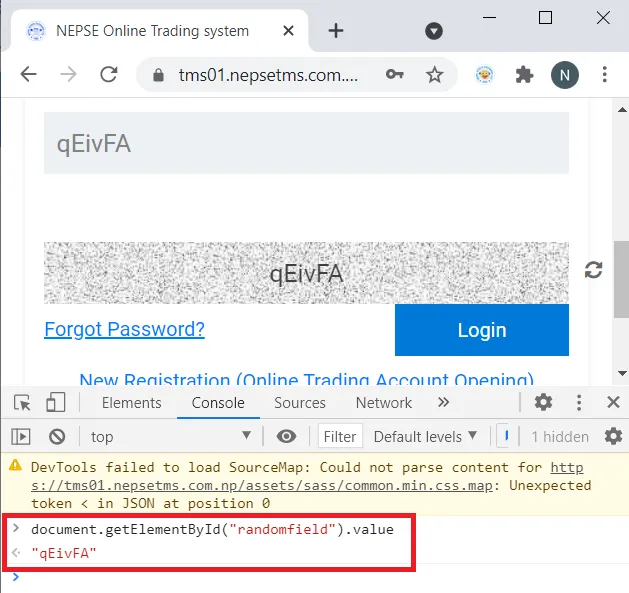
Unsurprisingly, it is.
Now, if you can read the text from the DOM, it’s not a big deal to write it back to the DOM:
document.getElementById("captchaEnter").value =
  document.getElementById("randomfield").value;
This piece of code will autofill the captcha input.
A problem arises
An interesting problem that emerges is that when you autofill the captcha input via JavaScript and then hit Login, the website still says “Incorrect Captcha” even when the captcha is actually correct.
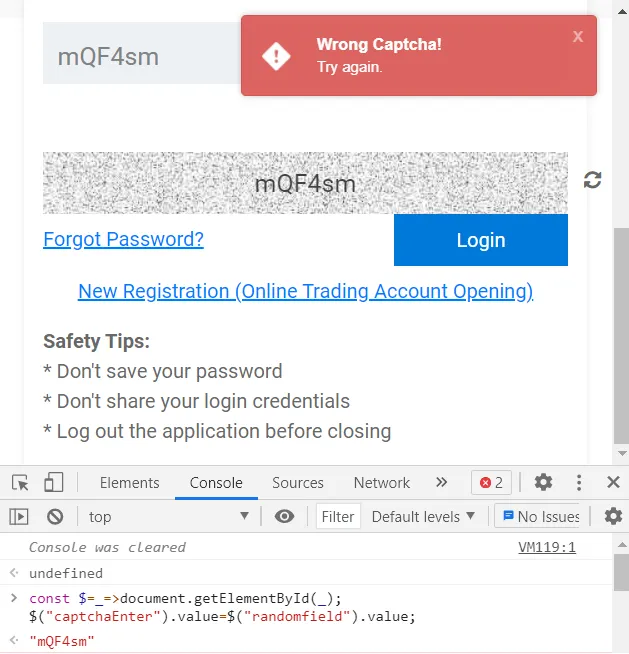
But how could that be? Could the TMS’s system be more well thought out than I expected?
You wish! Turns out, they’re using a frontend framework (Angular.js). Angular.js
internally maintains a state, with the values of all inputs. That state gets
altered only when the corresponding input’s input event is fired. Otherwise
the value change is not registered. But that’s easy to fire. Here:
const $ = (_) => document.getElementById(_);
$("captchaEnter").value = $("randomfield").value;
$("captchaEnter").dispatchEvent(new Event("input")); // Fire the event to trigger angular state change
And with that, the captcha autofiller works.
Making a Chrome extension
Now that I’ve come this far, I might as well make a Chrome extension, so that I don’t have to deal with this again. Chrome extensions are pretty easy to make. It takes about 10 minutes to make something this simple. Here’s the relevant part of the code.
manifest.json
{
  "name": "TMS Captcha Autofiller",
  "description": "This extention will autofill TMS captchas. Made by nirav.com.np",
  "version": "0.5",
  "manifest_version": 3,
  "content_scripts": [
    {
      "matches": ["https://*.nepsetms.com.np/login"],
      "js": ["contentScript.js"]
    }
  ]
}
contentScript.js
{
  const $ = (_) => document.getElementById(_); //aliasing a long fn call
  function l() {
    $("captchaEnter").value = $("randomfield").value;
    $("captchaEnter").dispatchEvent(new Event("input")); // Fire the event to trigger angular state change
  }
  window.onload = l;
}
Done. Put these two files in a folder and import it from the Chrome extensions
page (chrome://extensions).
A slightly more decorated version is published on my GitHub: github.com/niravcodes/TMSCaptchaAutoFiller. You can go there and install that version instead.
Update: The extension is now available in the Chrome Web Store, so you can install it from the official Google channel.
A request to the TMS devs
Please change the font in the captcha field from a sans serif to a serif one, if
that’s the least you do. Thousands of people needlessly confuse a capital I
and a small l every day.
Update
The websites have been fixed and the captcha font has been changed to a legible one. Thanks, devs.